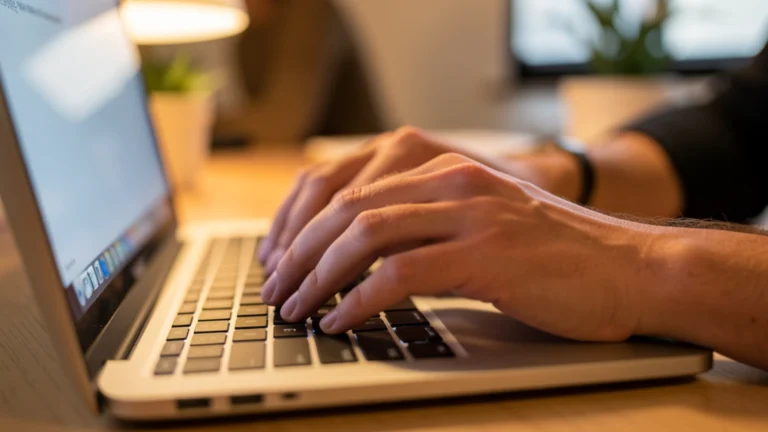
You probably type hundreds or even thousands of words every single day, in emails, chats, and documents, without ever timing yourself. That quiet habit adds up to real hours across a week. This guide explains what typing speed actually means, how fast most people type, and a simple plan to get faster and more accurate over the next few weeks.
Typing speed is measured in WPM, or words per minute, where every five typed characters counts as one word. Beginners often type 10 to 25 WPM, average adults land around 35 to 45 WPM, skilled typists reach 60 to 75 WPM, and competitive typists can top 100 WPM. You can measure your own speed for free using any online typing-test site, no special tool required. Touch typing, using all ten fingers without looking at the keys, is the fastest path to real improvement, and a few weeks of short, focused practice can meaningfully raise both your speed and accuracy.
What Does WPM Actually Mean?
WPM stands for words per minute, the standard way typing speed gets measured. Instead of counting real words, most tools count every five typed characters, spaces included, as one “word.”
This makes the math fair across different texts, since real words vary a lot in length. A sentence full of short words would otherwise look faster than one with long words, even at the same typing effort.
There are two related numbers worth knowing. Gross WPM counts everything you typed in the time given. Net WPM subtracts your errors, so it reflects what you actually produced correctly. Most typing tests report net WPM, since accuracy matters as much as raw speed.
Average Typing Speeds by Skill Level
Typing speed varies a lot from person to person, based on practice, technique, and how often someone types. The table below gives a rough guide to where different skill levels typically land.
| Skill Level | Typical WPM | What It Usually Looks Like |
|---|---|---|
| Beginner | 10 to 25 | Hunts for keys, looks at the keyboard often |
| Average adult | 35 to 45 | Comfortable typist, some looking at keys |
| Skilled / professional | 60 to 75 | Trained touch typist, rarely looks down |
| Competitive / advanced | 90 to 120+ | Extensive practice, high accuracy under speed |
A large 2018 study out of Aalto University, which analyzed 136 million keystrokes from over 168,000 volunteers, found an overall average speed of about 52 WPM across all participants. That number sits a little above the typical “average adult” range, since it included many people who type for a living or type very often.
How to Measure Your Own Typing Speed
You do not need a special tool to find your typing speed. Any free online typing-test site will time you for one minute while you copy a short passage of text.
After you finish, the site shows your gross WPM, your net WPM, and your accuracy percentage. Most sites also highlight the exact words or letters where you made mistakes.
For a fair result, take the test a few times over a couple of days rather than trusting one score. Try it in the morning and again later, since fatigue and focus both change how fast you type.
Use your everyday keyboard for the test, not a borrowed one. A different keyboard layout or key spacing can throw off your real-world number.
Touch Typing Basics
Touch typing means typing without looking at the keyboard, using all ten fingers, each assigned to a specific set of keys. It is the single biggest factor separating fast typists from slow ones.
The starting point is the home row: A, S, D, F for your left hand and J, K, L, semicolon for your right hand. Most keyboards have small raised bumps on the F and J keys so your fingers can find home position by feel.
From home row, each finger reaches up or down to nearby keys in its own column, always returning to home row between presses. Your thumbs rest on the space bar.
Learning this pattern feels slow and clumsy at first. That is normal, and it passes quickly once the finger movements become automatic through repetition.
Common Habits That Slow You Down
A few habits quietly cap how fast most people can type, even after years of practice. Spotting them is the first step toward fixing them.
- Hunt-and-peck typing: searching for each key one at a time with one or two fingers, instead of using all ten.
- Looking at the keyboard: glancing down breaks your rhythm and slows down your eyes moving back to the screen.
- Inconsistent finger assignment: using whichever finger is closest instead of a set pattern, which limits muscle memory.
- Typing too fast for your accuracy: rushing past your comfortable pace causes errors, and fixing errors costs more time than typing slower would have.
- Poor posture and hand position: hands too low, too high, or at an awkward angle add strain and slow your reach to each key.
Most of these habits form early, often from typing casually for years without ever learning proper technique. The good news is that all of them respond well to short, deliberate practice.
A Practice Plan to Improve Speed and Accuracy
You do not need hours a day to get faster. Short, focused sessions, done consistently, beat long, rare ones. Here is a simple plan spread across a few weeks.
| Weeks | Focus | What to Do |
|---|---|---|
| Weeks 1-2 | Learn finger placement | Practice home row slowly, 10-15 minutes a day, without timing yourself |
| Weeks 3-4 | Build accuracy | Take short timed tests, but prioritize low error rate over raw speed |
| Weeks 5-6 | Build speed | Retest a few times a week, track your net WPM, push pace gradually |
| Ongoing | Maintain the gains | Type real emails and messages using proper technique, not just drills |
Accuracy first, speed second, is the rule that actually works. Typists who chase speed too early tend to plateau, because sloppy finger habits get locked in early and are hard to unlearn later.
Retesting once or twice a week is enough to see real progress. Many people gain 10 to 20 WPM within a couple of months of consistent, short practice sessions.
How Faster Typing Turns Into Real Time Saved
The gap between a slow typist and a fast one adds up fast once you look at real numbers. Someone typing 1,500 words a day at 30 WPM spends about 50 minutes typing. The same person at 60 WPM spends about 25 minutes, a savings of roughly 25 minutes a day.
Stretched across a five-day work week, that is over two hours saved. Across a year, it can add up to well over 100 hours, time that could go toward other work, rest, or anything else that matters to you.
Once you know your own typing speed and roughly how many hours a week you spend typing, it helps to see what that time is actually worth. Our How Much Is Your Time Worth Calculator turns hours into a concrete value, so you can see the real payoff of typing faster in numbers that mean something to you.
This is not about turning every minute into a race. It is about understanding how a small technique change, practiced consistently, quietly returns real hours back to your week.
Curious what your saved typing time is actually worth? Estimate the hours you spend typing each week, then plug them into our How Much Is Your Time Worth Calculator to see the real value behind typing faster.
Typing speed is one of several everyday skills worth measuring. If you also want to know how long a book will take you at your current reading pace, our guide on how long it will take to read a book walks through a similar words-per-minute idea for reading instead of typing.
Frequently Asked Questions About Typing Speed
What Is a Good Typing Speed for Most Jobs?
For most office and general computer jobs, 40 to 60 WPM is considered solid and comfortable. Some roles, like transcription or data entry, may expect 65 WPM or higher. Accuracy matters just as much as raw speed for almost every job that involves typing.
What Does WPM Stand For and How Is It Calculated?
WPM stands for words per minute. Most typing tests count every five typed characters, including spaces, as one word, then divide by the minutes you typed. This keeps the measurement consistent across passages with different word lengths.
How Can I Test My Typing Speed for Free?
Many free typing-test websites let you type a passage for one minute and instantly see your gross WPM, net WPM, and accuracy percentage. No download or dedicated tool is required. Test a few times across different days for a more reliable average.
What Is Touch Typing, and Why Does It Matter?
Touch typing means using all ten fingers to type without looking at the keyboard, with each finger assigned to specific keys. It matters because it removes the time lost glancing down and searching for keys, which is the biggest speed limiter for most typists.
What Are the Most Common Habits That Slow Typing Down?
Hunting for keys one at a time, looking down at the keyboard, and typing faster than your accuracy allows are the most common habits. Inconsistent finger use and poor hand posture also slow typists down over time. All of these improve with focused practice.
How Long Does It Take to Improve Typing Speed?
Many people see a noticeable improvement, often 10 to 20 WPM, within four to eight weeks of short, consistent practice sessions. Progress depends on how often you practice and whether you focus on accuracy before pushing for speed. Steady short sessions beat occasional long ones.
Does Typing Speed Really Save Meaningful Time?
Yes, for anyone who types often. Doubling your typing speed can cut the time spent on the same amount of typed text roughly in half. Across a work week or a year, those saved minutes can add up to hours of real time back in your day.
Sources
Authoritative Sources Used in This Article
This article is for general education only, not financial advice. Prices, rates, and personal habits vary, so use these figures as a starting point and adjust them to your own situation. Reviewed for accuracy by Prof. Dr. Khalil Mudassar, PhD. Last updated September 14, 2026.
Author

Shakeel Muzaffar is the Founder and Editor-in-Chief of MultiCalculators.com, bringing over 15 years of experience in digital publishing, product strategy, and online tool development. He leads the platform's editorial vision, ensuring every calculator meets strict standards for accuracy, usability, and real-world value. Shakeel personally oversees content quality, formula verification workflows, and the platform's commitment to publishing tools that are genuinely useful for students, professionals, and everyday users worldwide.